
Scanrow
Point your camera at a printed table or import a PDF, and Scanrow rebuilds the rows and columns as a spreadsheet you can edit and export.

What's inside
Scan
- Capture a table with the camera or choose photos
- Import a PDF, or share a file to Scanrow from another app
- Reads text directly from digital PDFs for exact results
- Batch mode: several pages in one workbook, one sheet per page
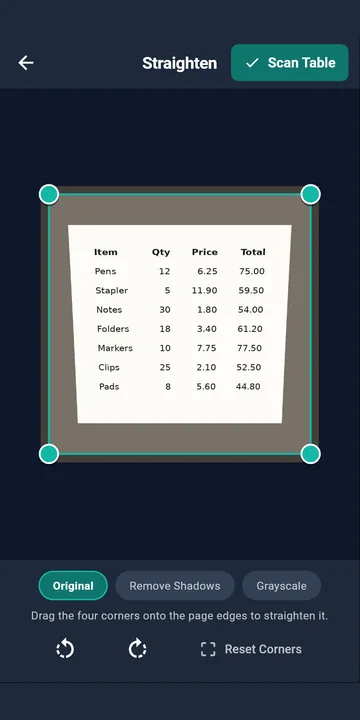
Straighten
- Drag the corners onto the page
- Even out shadows on a photo
- Handles tilted photos, multi-word cells, wrapped text and titles above tables
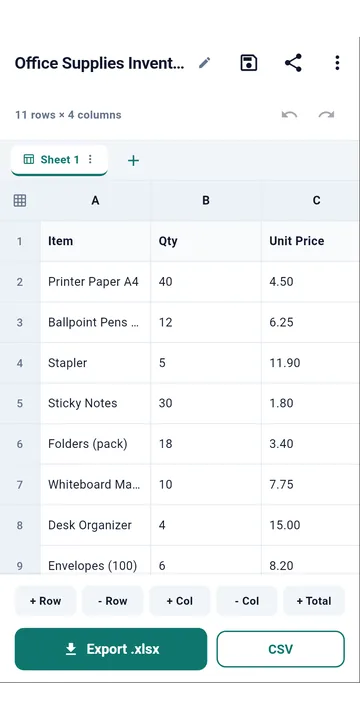
Review
- Highlights any cells Scanrow is unsure about
- Compare the table with the original photo
- Undo any change, and find and replace
- Totals with live formulas that stay editable
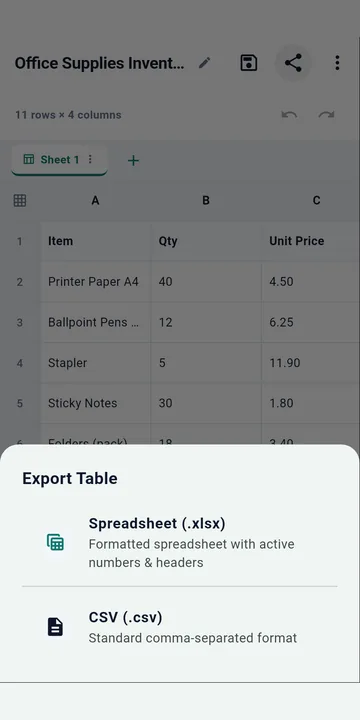
Export
- Share a .xlsx spreadsheet or .csv file
- Send it to a spreadsheet app, email or cloud drive
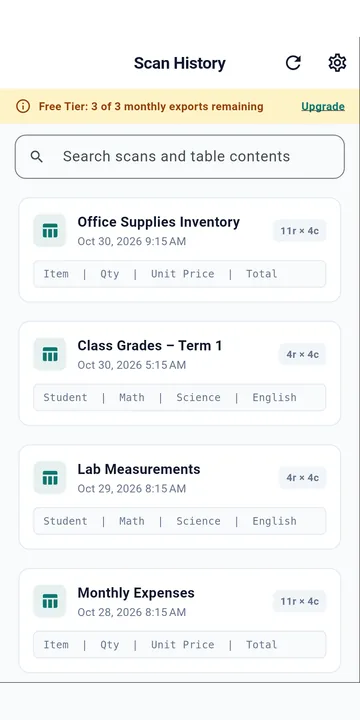
- Search, reopen and re-export earlier scans
- English, Spanish and Hindi in the app
Free and Pro
Scanrow is free to download. You can export or copy 3 scans every month and import PDFs of up to 20 pages at a time. Scanrow Pro, a monthly or yearly subscription through Google Play, adds unlimited exports and copies, PDFs of up to 100 pages at a time, Hindi, Chinese, Japanese and Korean recognition, and sort, filter and saved table templates.
Accuracy
Results depend on print and photo quality, so please check important figures before relying on them.
Privacy
No sign-in and no accounts. Your documents are read and stored on your phone and aren't uploaded; they leave it only when you export or share them. The internet is used for Google Play billing and for diagnostic data that Google ML Kit sends to Google. There are no ads. Read the privacy policy and terms.